Semrush Free Trial for Small Business: What to Test Before You Pay

Semrush Free Trial for Small Business: What to Test Before You Pay
You've outgrown the free tools. You know Google Search Console can't tell you what your competitors rank for, and you've heard Semrush can. Now there's a free trial button in front of you — and a week of full access to one of the most complete SEO platforms available.
Here's the thing most small business owners miss: the trial isn't just a demo. It's a chance to run professional-grade keyword, competitor, and technical data against your own website — the one you actually care about — and come away with a real plan. That's genuinely valuable, whether or not you subscribe at the end of it.
This guide gives you a plan for getting the most out of that week: what to prepare, what to test each day, and how to turn a handful of sessions into decisions you can act on. For a broader opinion on the tool, read our Semrush review for small business. For how it compares with other tools, see our SEO tools comparison.
Key Takeaways
- The trial gives you full access to Semrush's core tools — treat it as a week of professional SEO analysis on your own site and your own competitors.
- Terms change. As of 2026, the standard is a 7-day trial, so confirm the details on the sign-up page and block out time in your calendar to use it properly.
- Prepare before you start: a list of your services, three real competitors, and access to your Google Search Console.
- Judge the tool by the questions it answers: which keywords are realistic for you, what competitors rank for that you don't, and what's technically wrong with your site.
- By day seven you'll have a clear picture of your site's opportunities — and a much easier decision about whether Semrush earns a place in your budget.
Table of Contents
- Is the Trial Right for You?
- What the Trial Actually Gives You
- Prepare Before You Click Start
- A 7-Day Test Plan
- How to Judge the Results
- Who Gets the Most Out of Semrush
- Making the Most of Your Week
- Frequently Asked Questions
Is the Trial Right for You?
A trial is worth your time if at least one of these is true:
- You've covered the basics from our beginner's SEO guide (your site is indexed, your pages are optimized, your Google Business Profile is set up) and want to know what to do next.
- You keep guessing which keywords to target and want real data on difficulty and competition.
- A competitor outranks you and you can't tell why.
- You suspect technical problems on your site but can't find them yourself.
If that sounds like where you are, a week of full access is the fastest way to get answers. You'll finish it knowing more about your own site than a month of reading guides would tell you — and you'll know whether Semrush is the tool you want to keep using. Our Semrush review for small business covers who gets the most value from the platform in more detail.
If you're brand new and your site isn't set up yet, the free Google tools are a fine place to start. Come back to Semrush when you have questions only a paid platform can answer — you'll get far more out of it.
What the Trial Actually Gives You
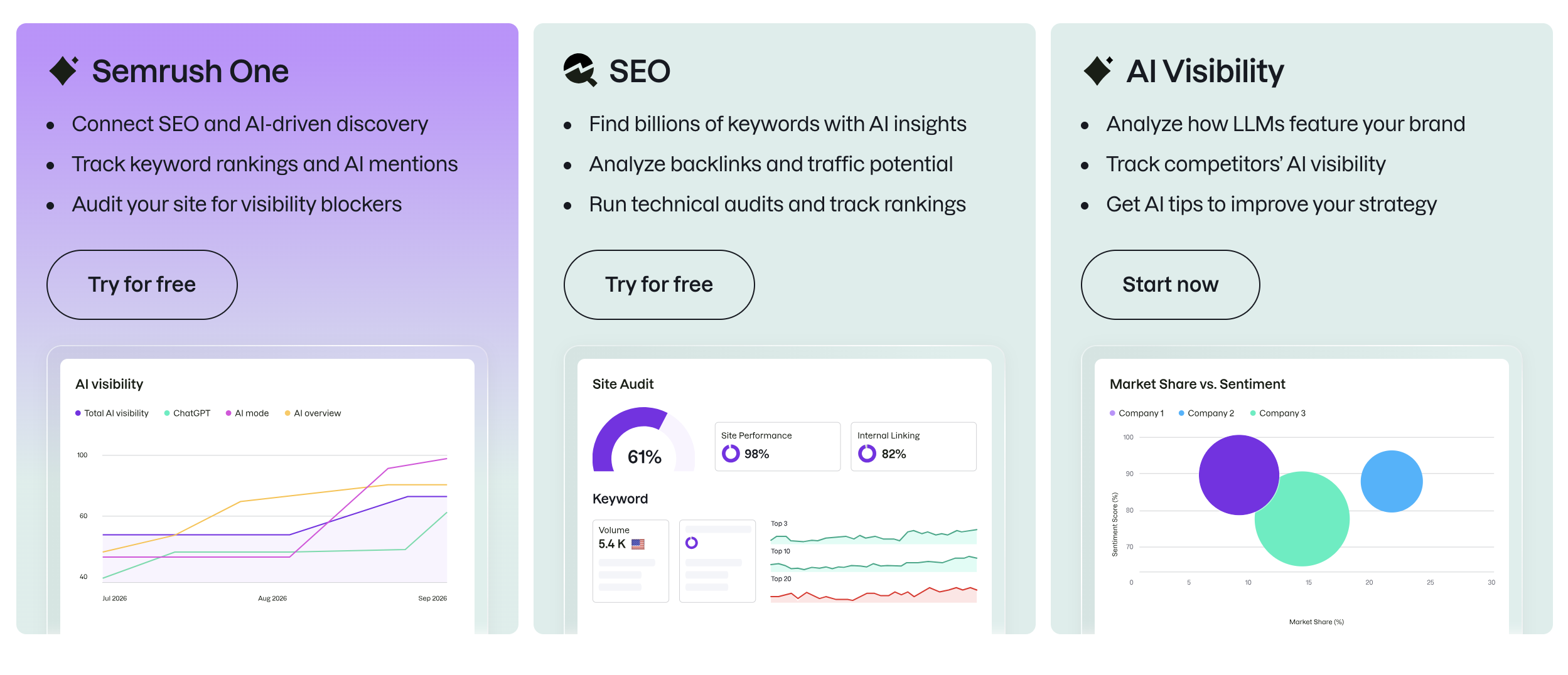
The trial isn't a stripped-down preview. You get access to the core platform, which means you can genuinely evaluate it against your own site:
- Keyword research — search volume, difficulty scores, and related terms for your actual services
- Competitor analysis — see what pages and keywords are driving traffic to the businesses outranking you
- Site audit — a full technical scan of your website, with issues explained and prioritized
- Position tracking — start monitoring where your pages rank, so you have a baseline to measure against
- Local SEO tools — visibility data if you serve a local area
A few practical details worth knowing, as of 2026:
- Length: The standard trial is 7 days on the main plans (SEO, Starter, Pro+, Advanced). Confirm the current length on the sign-up page, since offers occasionally change.
- Card required: Yes, a payment card is needed to start the trial, and the plan continues at the listed price afterward. That's standard for full-access trials — just go in knowing the timeline.
👉 Start your Semrush free trial and run this plan on your own site →
Prepare Before You Click Start
Because the trial is short, do the thinking first. Spend 30 minutes on this checklist:
- List your top 3 to 5 services or products. These are the pages that earn you money.
- Pick three competitors that actually appear when you search for those services. Use real search results, not whoever you assume is competing with you.
- Write down five questions you want answered. Examples: "Which keywords can my site realistically rank for?" "What are my competitors ranking for that I'm not?" "What technical issues does my site have?"
- Make sure you can log into Google Search Console for your site, so you can compare Semrush's estimates with Google's real data.
- Block out 30–45 minutes a day in your calendar for the week. This is the single biggest factor in whether the trial pays off.
- Decide what a good outcome looks like in advance. For example: "If it finds at least 10 realistic keyword opportunities and a clear list of site fixes, this is worth paying for."
A 7-Day Test Plan
Tool names and menus may change, so look for the equivalent feature if a label differs. The aim is simple: use each day to answer one of your questions.
Day 1: Set up your site and run an audit
Add your website and run a site audit. Look at how problems are explained and prioritized. Does the report separate serious issues from minor ones? Could you or your developer act on it? Compare what it finds with what you already know about your site — most owners find at least a few things they had no idea about.
Day 2: Research keywords for one service
Pick your most important service and use the keyword research tool to explore related searches. Note the search volume estimates, keyword difficulty scores, and the questions people ask. This is where the tool tends to earn its reputation: it surfaces specific, realistic phrases you'd never have thought to check manually. Compare it against the manual approach in our beginner's SEO guide and see how much further it takes you.
Remember that volume and difficulty figures from any tool are estimates, not Google's own data. Use them to compare options, not as exact numbers.
Day 3: Analyze your competitors
Enter your three competitors. Look at the keywords they rank for, their top pages, and any keyword gap between their site and yours. This is the feature free tools simply can't replicate — and it usually changes how you think about your content. The most useful question here is: which of their pages could you realistically beat with a better page of your own?
Day 4: Set up rank tracking
Add 10 to 20 of your target keywords and your location, if you serve a local area. Rank tracking shows whether your efforts are working over time, and setting it up now gives you a baseline you can measure against for months. The question for the trial is whether the setup is clear and whether the results are easy to read at a glance.
Day 5: Check the local features
If you're a local business, explore the local SEO features — map visibility and directory data are genuinely useful if you compete in a service area. Some capabilities may sit in separate add-ons or higher plans, so check what's included on the plan you're trialling before you rely on it.
Day 6: Plan one piece of content or one page fix
Choose one real action based on what you've learned: a new service page, an improved title and heading structure, or a blog topic. Can you go from the tool's data to a clear plan in under an hour? If so, that's a good sign. If you're still confused, that's useful to know as well.
Day 7: Compare with Google's own data and decide
Compare a few Semrush figures against Search Console, such as your top queries and pages. Then score the trial using the table below. By this point you'll have run a technical audit, mapped your keyword opportunities, seen your competitors' strategy, and built a to-do list — which is a lot more than most people get from a week.
👉 Start your free trial and run this plan on your own website →
How to Judge the Results
Use this table to turn a week of exploration into a decision.
| Question | A good sign | A warning sign |
|---|---|---|
| Did the audit find real problems? | Specific, fixable issues you didn't know about | Mostly minor items you already knew |
| Did keyword research give you new ideas? | Realistic, specific phrases for your services | Only broad, high-competition terms |
| Did competitor data change your plan? | You found pages or topics you can compete on | Nothing actionable |
| Is rank tracking easy to read? | You can see movement at a glance | You'd rarely look at it |
| Could you act on the data alone? | You left with a clear to-do list | You'd need someone to interpret it |
| Will you use it weekly? | Yes, there's a regular routine for it | You'd log in once a month |
If you got mostly good signs, you'll know the subscription earns its place — and you'll have a concrete plan to justify it. If the results are mixed, you still walk away with a clearer picture of your site than you had a week ago.
Who Gets the Most Out of Semrush
Semrush pays for itself fastest for:
- A small business actively managing more than a handful of pages, where manual keyword and competitor research has become a real time cost
- A business competing in a market with identifiable competitors worth tracking — not a category with no clear rivals
- A local business managing visibility across multiple directories, where the local toolkit replaces several separate manual tasks
- Anyone who's worked through the free-tool basics in our beginner's SEO guide and has hit the ceiling of what Search Console can tell them
- Businesses that want one tool covering multiple SEO jobs, rather than paying for three or four narrower tools that each do one thing
If you're in one of those groups, a week of testing will show you quickly what the platform would do for you. If you mainly need backlink research, Ahrefs is the common pick — our tools comparison covers where each fits.
Making the Most of Your Week
A few habits that separate a productive trial from a wasted one:
Work on your site, not the demo project. The default demo data is there to show you around, but the insights that matter come from your own domain and your own keywords.
Take notes as you go. Trial accounts may limit data exports, so screenshot the audit issues, keyword lists, and competitor gaps you want to keep. That way the value of the week stays with you regardless of what you decide.
Put one thing into action before the week ends. Even a single improved title tag or new service page outline makes the trial worthwhile — and it'll show you how quickly you can move from data to results.
Decide on your own timeline. If Semrush proves useful, choose the plan that matches what you actually used, not the biggest one available. Monthly billing keeps things flexible while you find your rhythm; annual billing is reported to cost 16–20% less per month if you're confident you'll keep going.
Either way, you'll have spent a week learning something concrete about your own site — the audit findings and keyword opportunities don't disappear when the trial does.
👉 Try Semrush free for your small business →
Frequently Asked Questions
How long is the Semrush free trial? The standard trial is 7 days on the current SEO, Starter, Pro+, and Advanced plans. Check the sign-up page for the current length, since offers occasionally change.
Do I need a credit card for the Semrush trial? Yes. A card is required to start the trial, and the subscription continues at the listed price afterward. It's a full-access trial, so the card requirement is how Semrush keeps it to serious users.
What should I test first? Start with a site audit and keyword research for your single most important service. Those two give you the quickest sense of whether the tool is useful for your business.
Is there a free Semrush plan? There's a limited free plan, but it caps projects and daily reports and only crawls a small number of pages. The trial is the better way to evaluate the full platform against your own site.
How is Semrush different from Google Search Console? Search Console shows you what you rank for. Semrush shows you what your competitors rank for, plus keyword difficulty, technical audits, and rank tracking in one place — data Google's free tools don't provide.
Will Semrush get me ranked on Google? No tool can promise that, and Semrush doesn't claim to. What it gives you is better data to make SEO decisions with — the actual ranking work (content, technical fixes, links) still has to happen.
This article includes affiliate links, which means we may earn a commission if you sign up through them, at no extra cost to you. Plan names, prices, and trial terms are based on third-party sources and change often, so always confirm them on Semrush's own pages before you sign up.
Want help acting on what you find? Smart Tech Build builds and fixes small business websites so the SEO basics are in place from the start. See our services → or get in touch →
Related Posts:
Kehinde Adegbesan
Kehinde is the founder of Smart Tech Build and a passionate software developer. He writes about AI, web development, and tools that help businesses grow.
Connect on LinkedIn